Hardware-accurate verdicts
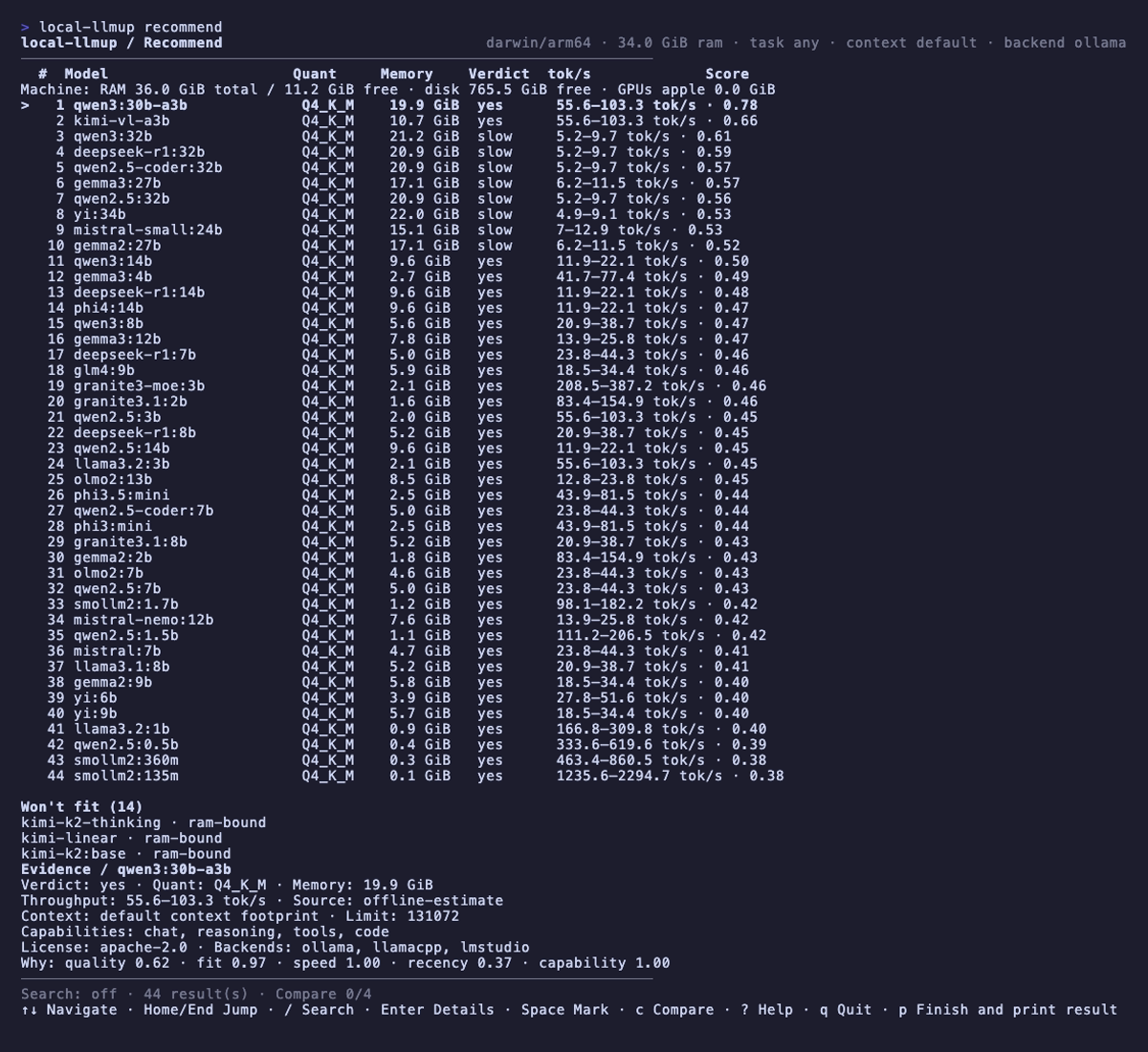
An AI Hardware Score (0–100) names your bottleneck. Every model in the catalog gets a yes / slow / no verdict with est. tok/s — before any download. Unknown figures render as unknown, never fabricated.
A hardware-aware CLI that scores your machine and gives every model a straight answer — yes, slow, or no, with an estimated tok/s range — before you download a thing. Then it pulls, serves, chats, and migrates memory, all locally.
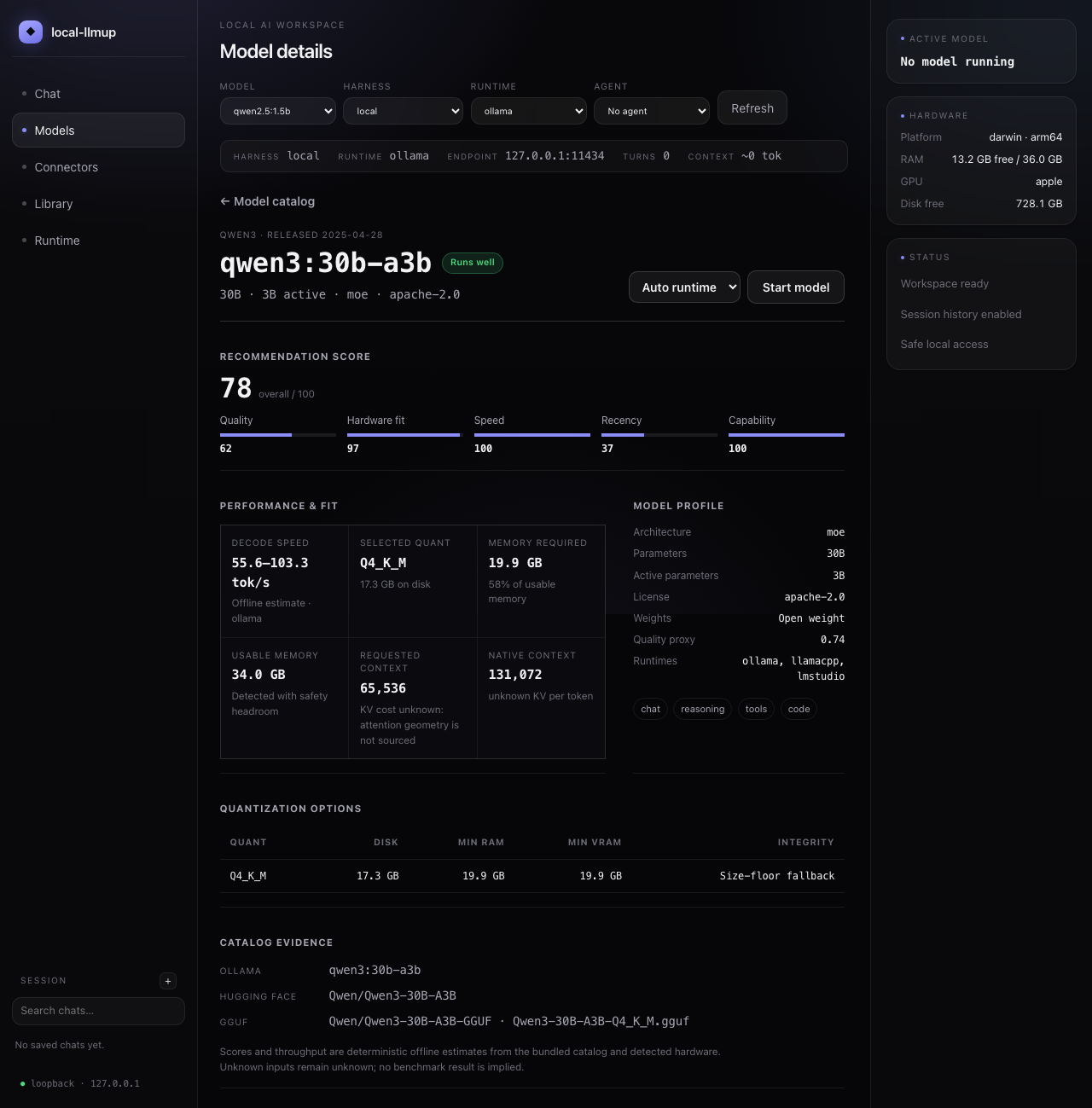
Open any catalog model to inspect the complete recommendation score, fit and throughput evidence, context cost, quantizations, integrity status, and sources before starting it.
From hardware profiling to integrity-verified installs, interactive TUI to portable memory — a complete local-LLM workflow in one CLI.
An AI Hardware Score (0–100) names your bottleneck. Every model in the catalog gets a yes / slow / no verdict with est. tok/s — before any download. Unknown figures render as unknown, never fabricated.
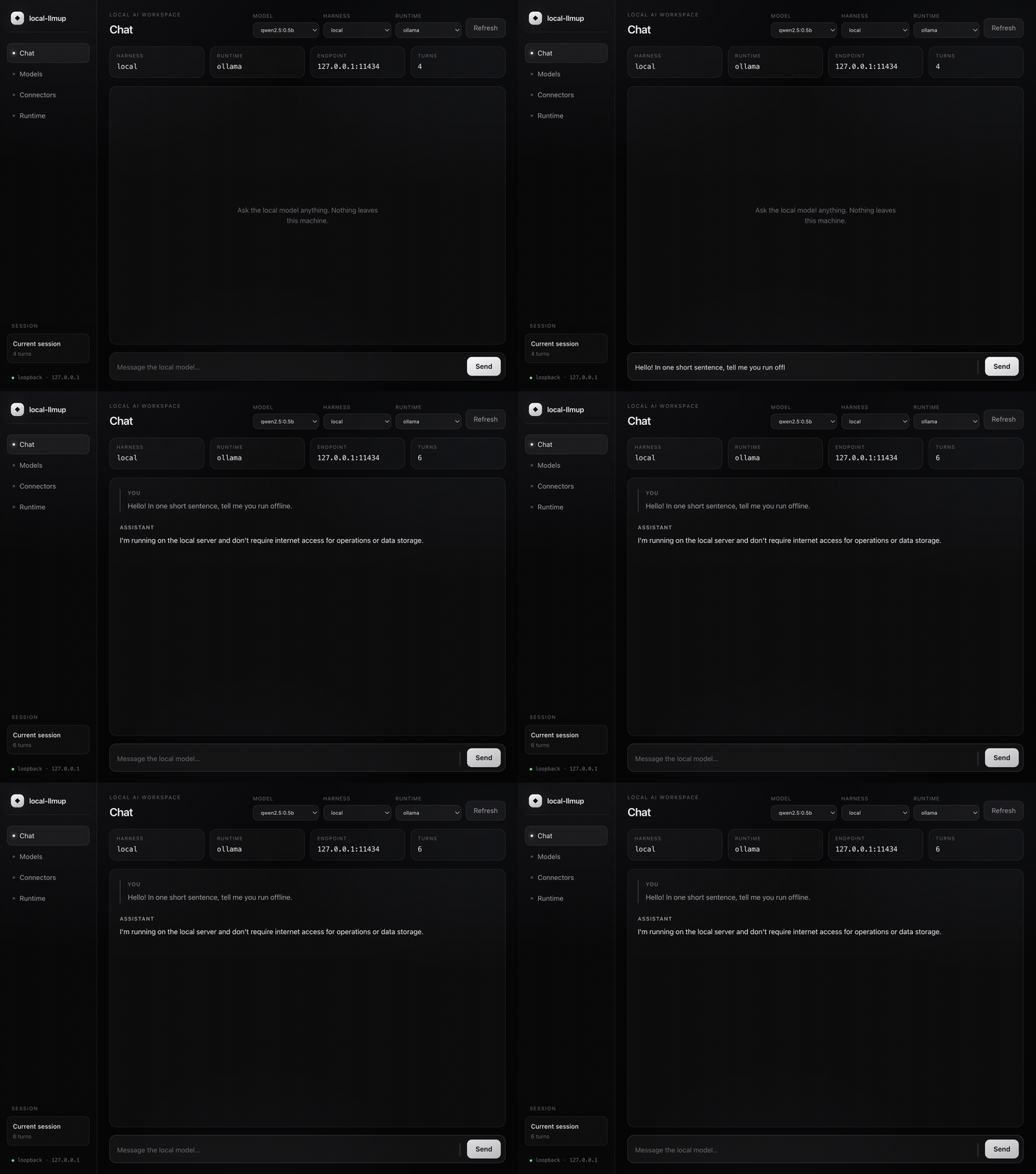
Run local-llmup gui for a loopback-only local AI workspace — a Maka-inspired interface that reuses the same recommend, up, and ls internals. Pick a recommended model, bring one online, and chat — all in your browser.
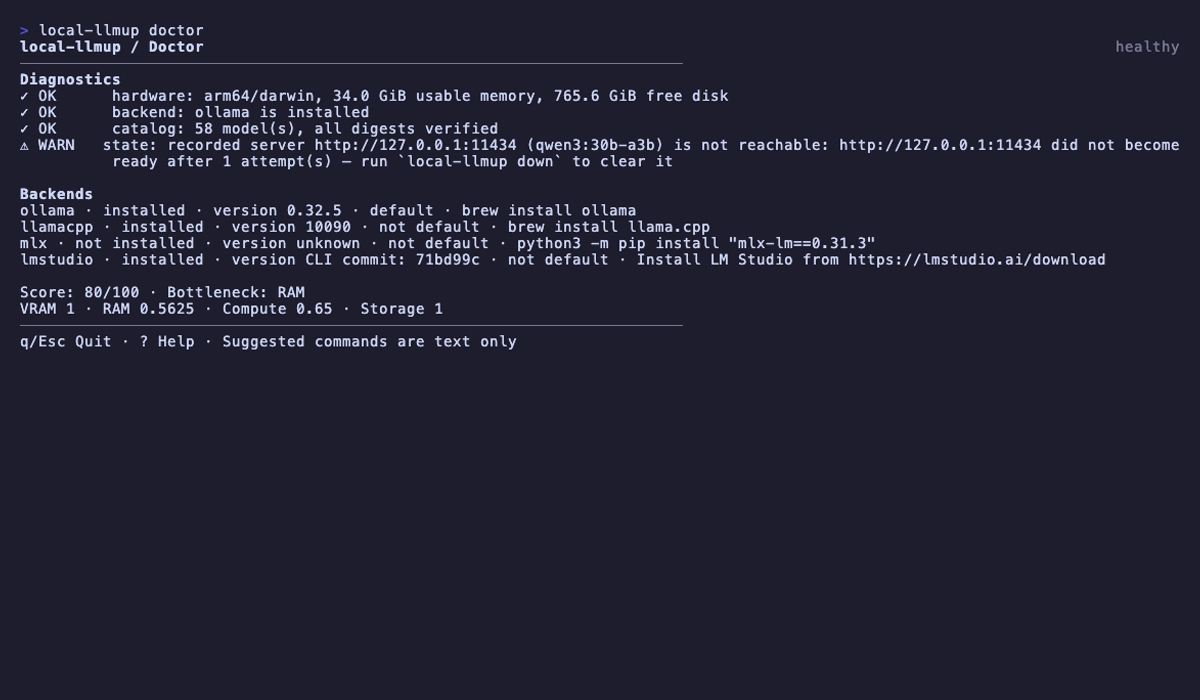
A full Ink-rendered TUI activates automatically in capable terminals — searchable model list, keyboard navigation, doctor dashboard, real-time lifecycle progress. Falls back to plain text in CI or piped mode.
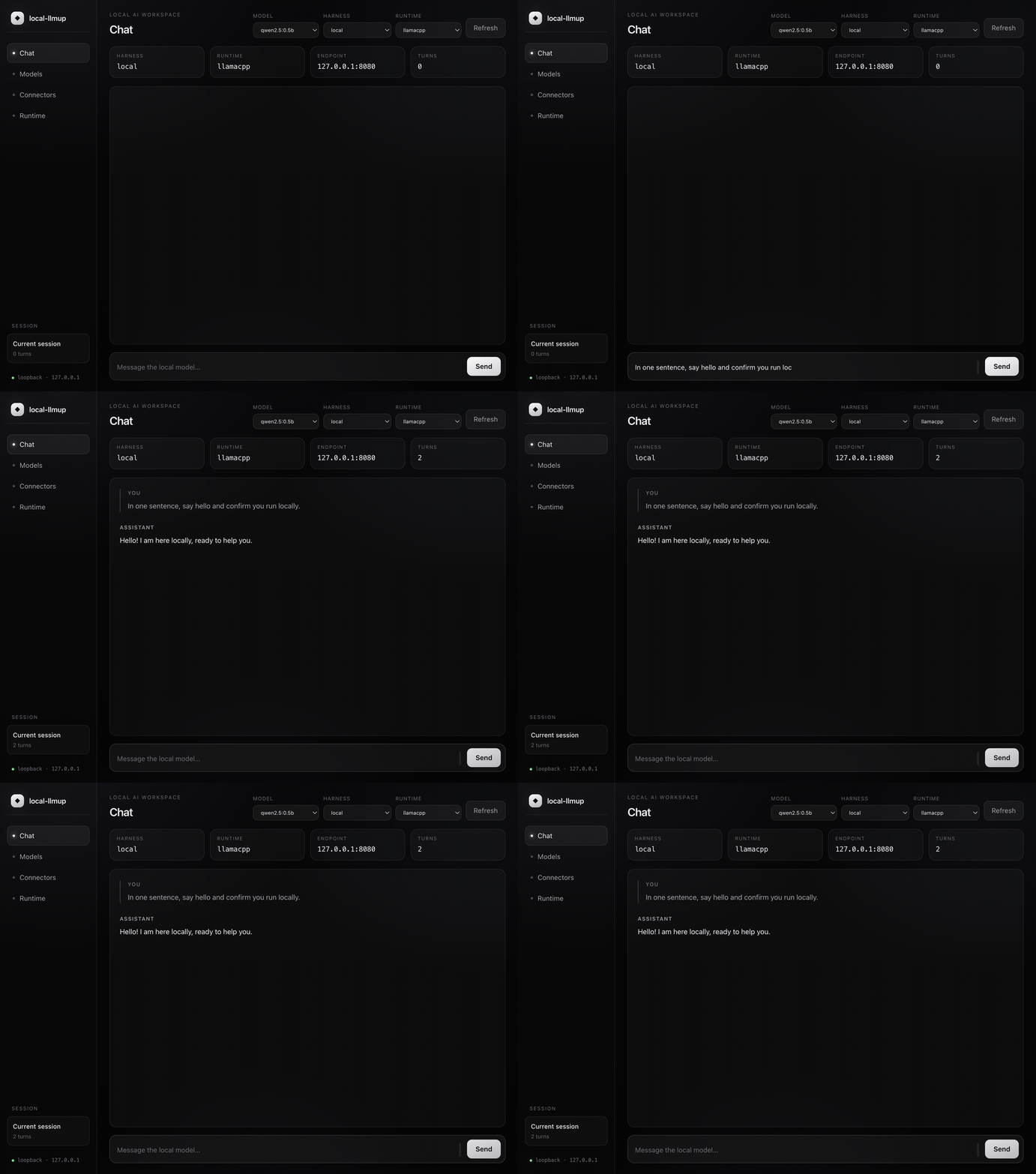
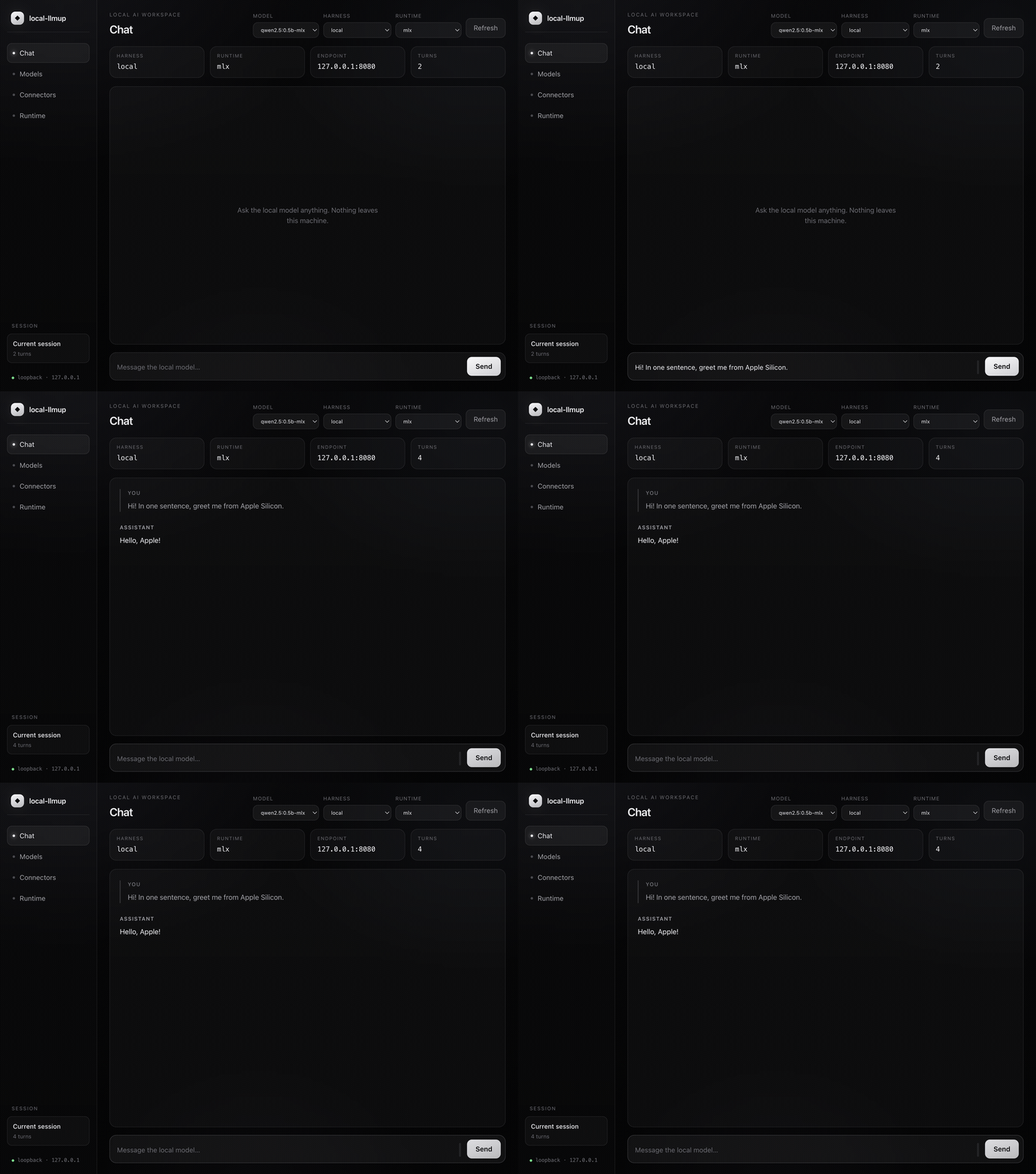
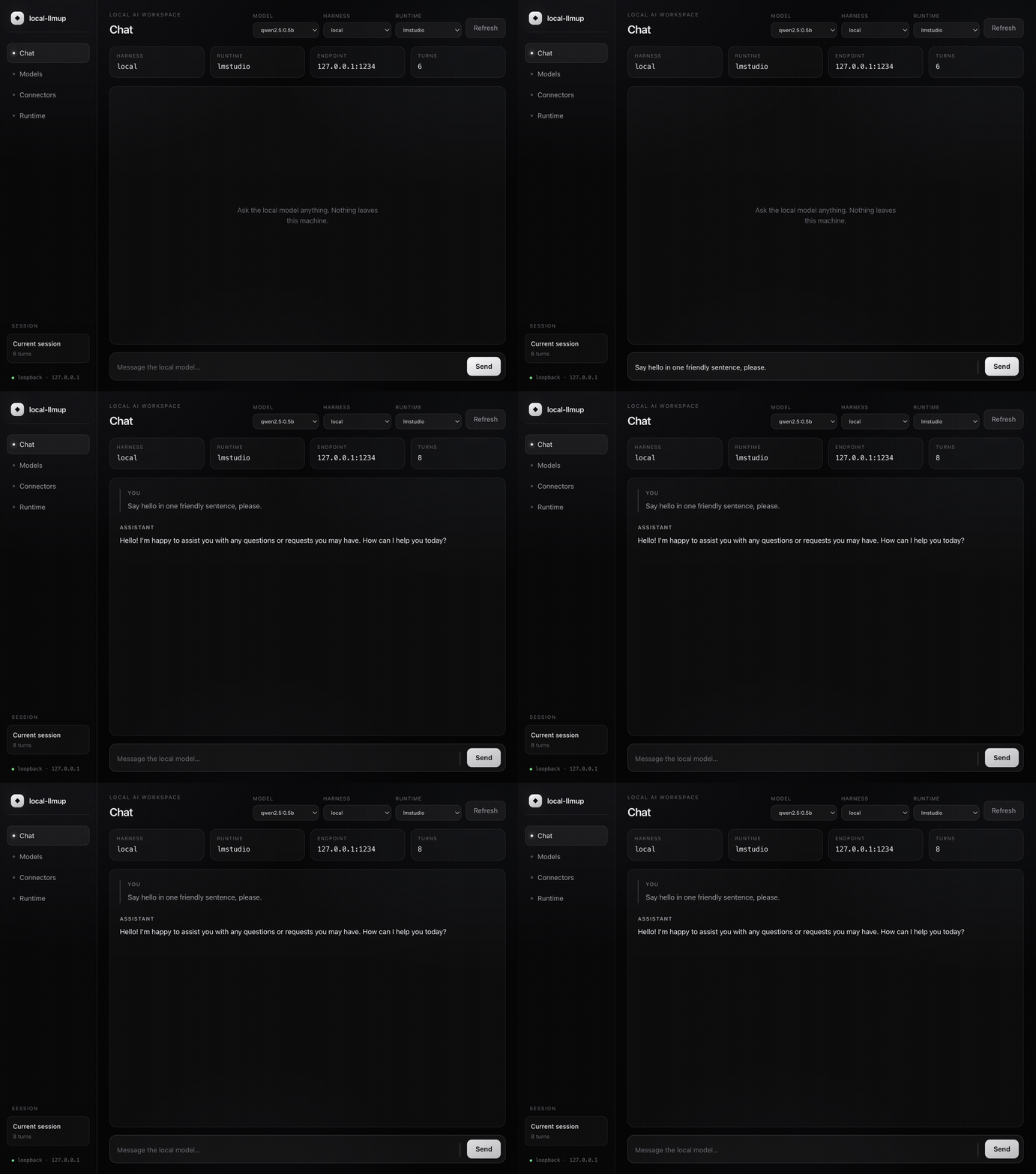
Ollama, llama.cpp, MLX (Apple Silicon), and LM Studio — auto-selected or user-chosen. All bind 127.0.0.1 only. Override with --backend.
SHA-256 digest checks on every pull. The up and switch commands fail closed on any mismatch — no silently corrupt weights.
KV-cache-aware memory math with GQA-correct attention geometry. Pass --context N to re-rank at a given window, or --max-context for each model’s ceiling.
Build reusable agents (personas / system prompts) and skills (instruction blocks) right in the workspace — stored locally as markdown. Bundle skills into an agent and load them per message from a dropdown.
Attach Model Context Protocol servers — local stdio commands or loopback HTTP/SSE — to give the chat real tools. Enable, disable, and inspect each connector’s tools; the model calls them in an agentic loop.
Let an agent run code in your workspace and render the result — the chat panel displays generated images and graphs inline, served safely from a loopback-only artifacts endpoint.
The catalog is an offline, reviewable dataset — not a scrape. Every entry ties model identity and capabilities to architecture, context, quantization, artifact size, integrity, and official sources.
Architecture, license, capabilities, context, quantization, and official sources are reviewed and pinned.
The snapshot deterministically generates the same offline advice dataset on every machine.
Known Ollama artifacts gain exact model-layer bytes and content digests without rewriting curated facts.
Freshness and upstream repository coverage produce review candidates, never automatic admissions.
Honesty gate: missing attention geometry stays unknown. Repository coverage cannot enumerate missing tags inside a model already represented in the catalog.
Prefer point-and-click? local-llmup gui launches a Maka-inspired, local-first workspace on 127.0.0.1 — and manages models through the very same engine as the CLI. Bring your own model by picking a recommended local model for your machine, or start one directly, then chat. Nothing leaves your machine.
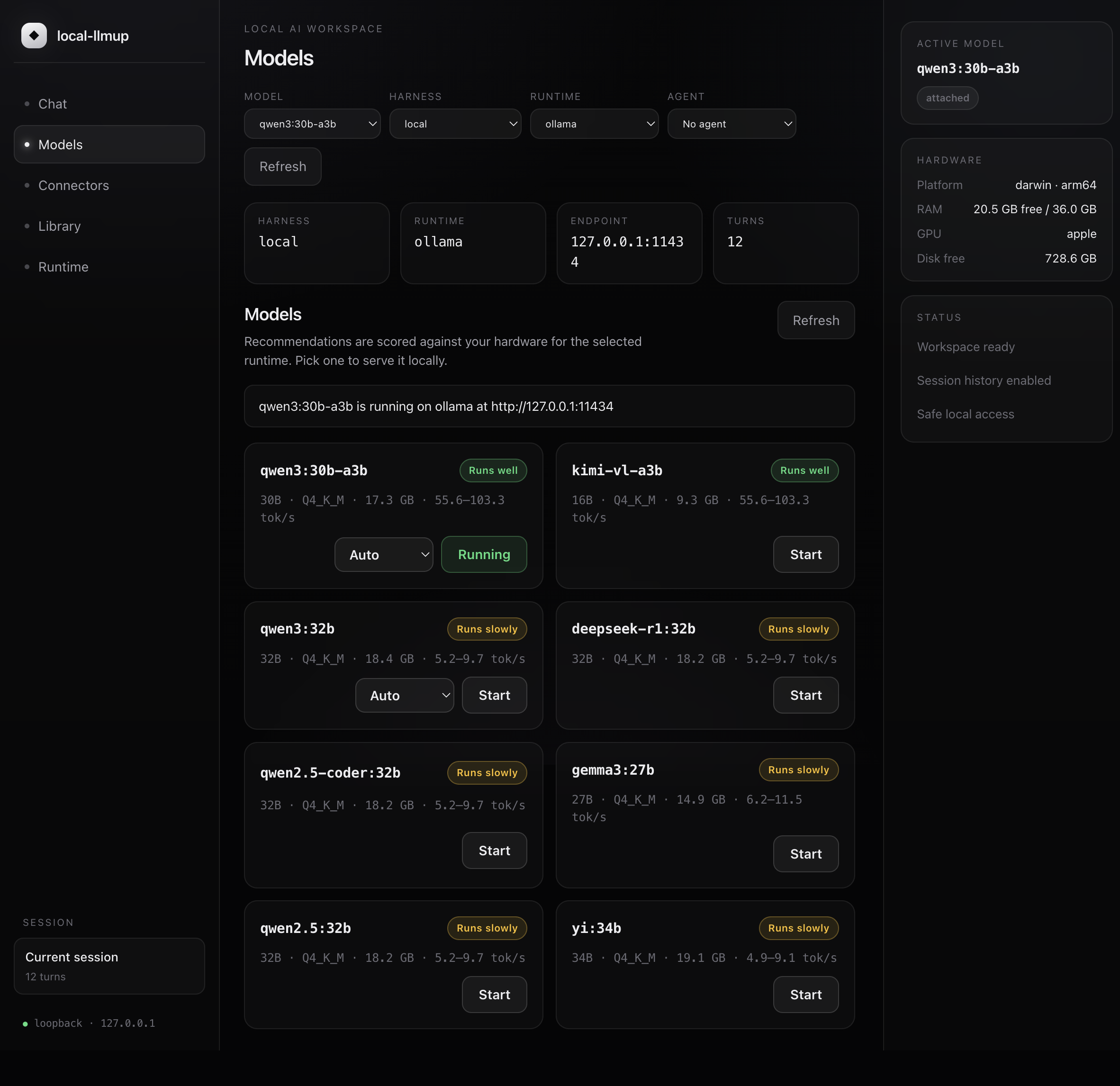
Prefer an app in your Dock over a browser tab? The desktop build wraps the exact same loopback Runtime Host in a hardened, native window. It boots the same GUI server the CLI serves, binds 127.0.0.1 only, ships zero Node integration in the renderer, and blocks any navigation off-loopback. Same engine, same verdicts, same privacy — now one click away.

Installers build for macOS, Windows & Linux on every release via CI. They're ad-hoc signed, not notarized: on macOS right-click ▸ Open (or if it's blocked, clear quarantine with xattr -dr com.apple.quarantine /Applications/local-llmup.app); on Windows choose “More info ▸ Run anyway”. Prefer source? Build any target:
git clone https://github.com/shashankswe2020-ux/local-llmup
cd local-llmup/apps/desktop
npm install && npm start          # run the app
npm run package:mac # or :win / :linuxBuild an agent (a persona / system prompt), give it reusable skills, and connect tools that run code in your workspace. Select the agent in chat and its skills load automatically — here it solves a quadratic with SymPy, plots it with Matplotlib, and renders the graph right in the panel. Everything stays on 127.0.0.1.
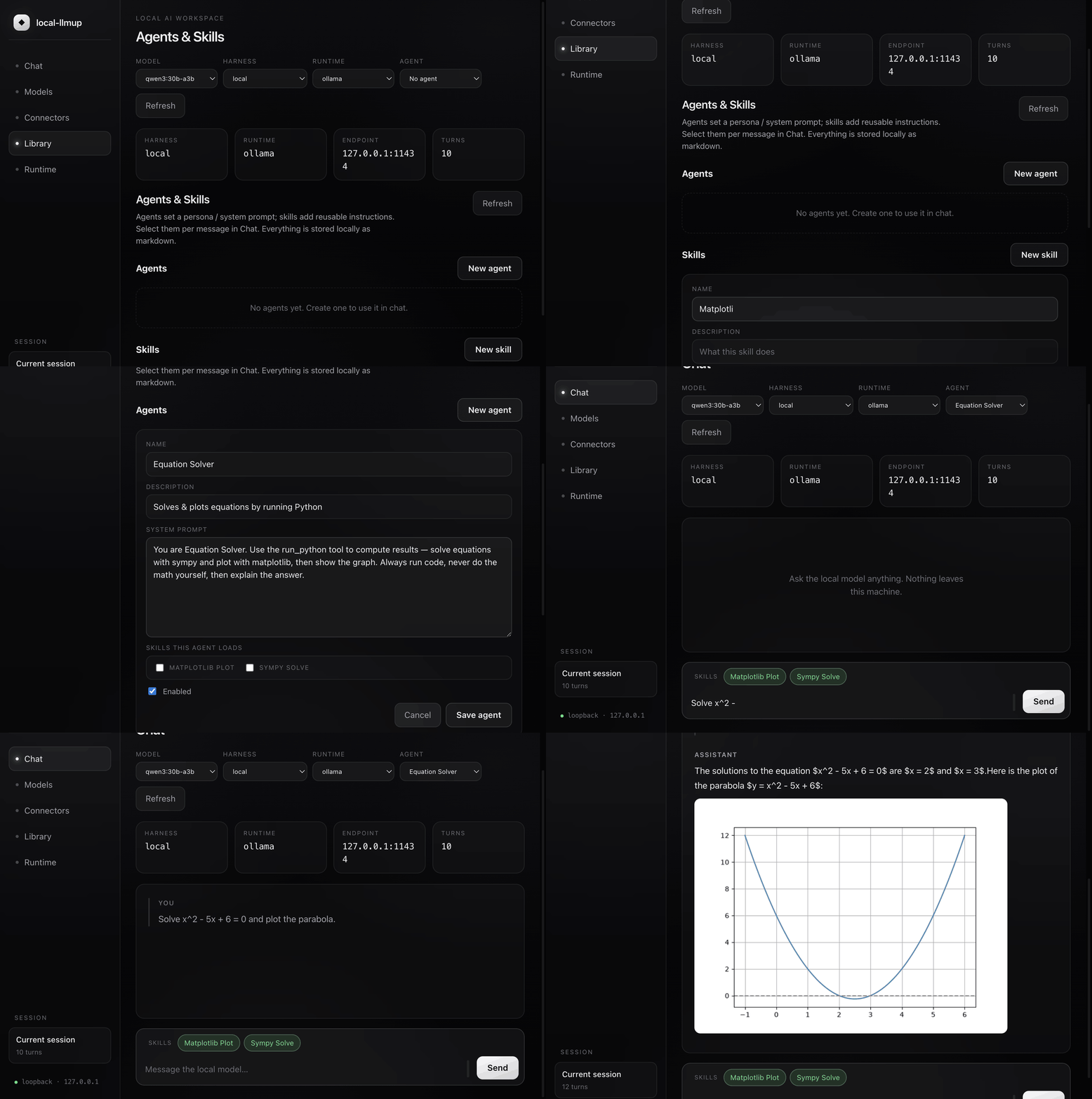
Author agents and skills in the workspace — each stored locally as markdown with YAML frontmatter, the same convention Claude Code and Codex use. Full create / edit / enable / delete. An agent can bundle the skills it always needs, and any skill can be toggled per message from a chip bar.
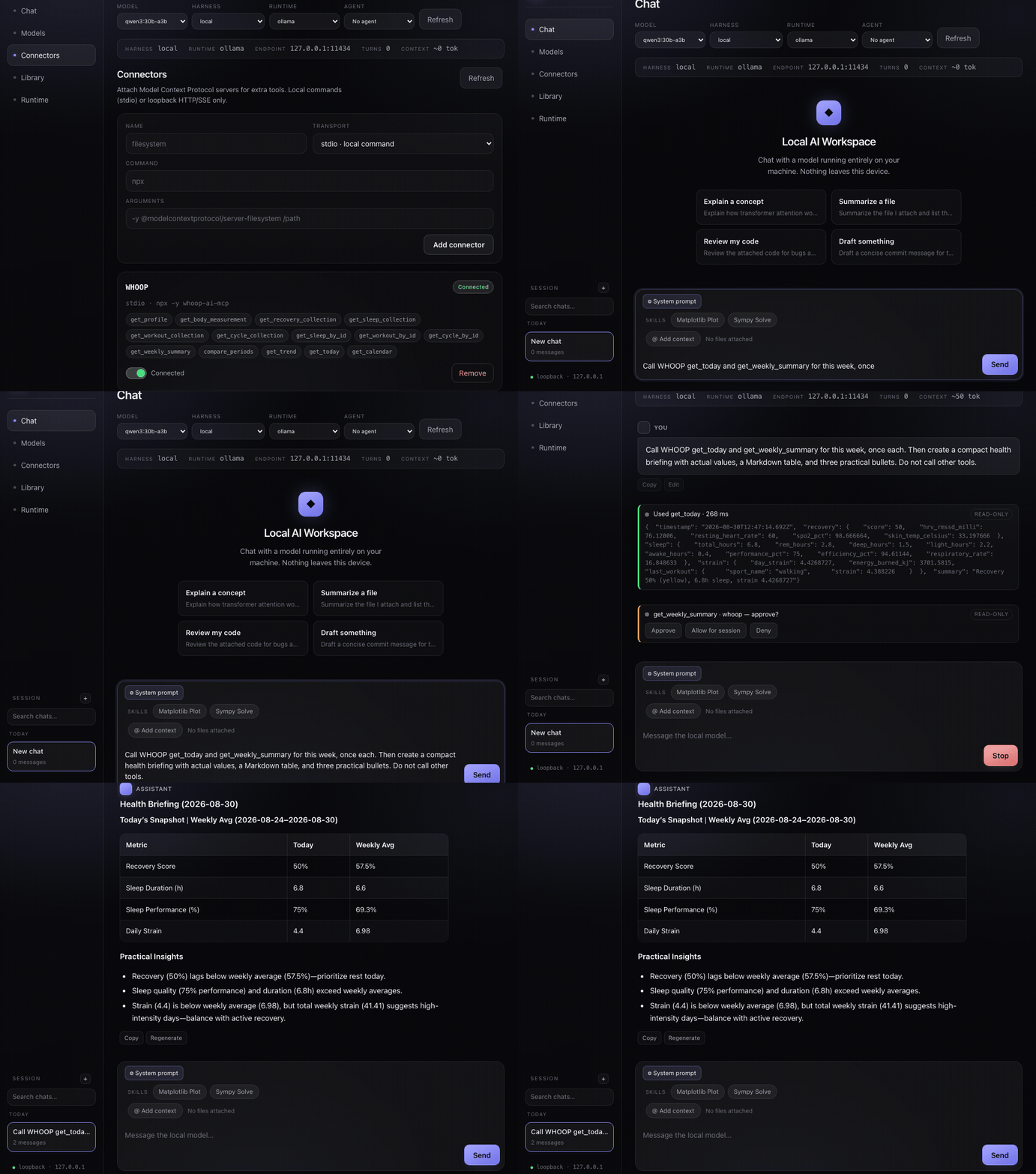
Attach Model Context Protocol servers to the workspace — local stdio commands or loopback HTTP/SSE only. Enable a connector and its tools become available to the model, which calls them in an agentic loop. Below: two WHOOP tools are proposed, explicitly approved, and used to build a live health briefing with actual values.
Advice commands make zero network calls and use a curated, cited, offline dataset. Servers bind 127.0.0.1. Weights are integrity-verified and fail closed. Your conversations stay on your machine.
v0.6 brings a full Ink 5 + React 18 terminal UI that activates automatically when your terminal is ≥60×16. Screen-reader accessible mode and plain-text fallback always available.
Node.js 18+. No API keys, no cloud accounts. For lifecycle commands you need at least one backend — Ollama is the recommended default.
npm install -g local-llmupOr try without installing: npx local-llmup
local-llmupInteractive TUI opens in a capable terminal. Ranked models with verdicts and est. tok/s.
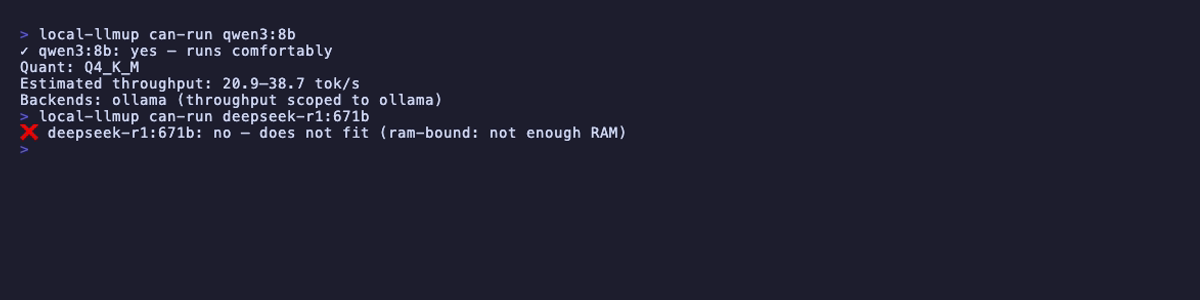
local-llmup can-run qwen3:8bInstant yes / slow / no verdict with est. tok/s. Works as a CI gate.
local-llmup up qwen3:8bIntegrity-verified pull via Ollama, then a loopback-only server endpoint.
local-llmup chatMulti-line input, streaming responses, session recorded to local memory.
local-llmup migrate --from qwen3:8b --to qwen3:14bCarry conversation memory when upgrading models. No data left behind.
Every command supports --json for machine-readable output and --help for usage. Advice commands make zero network calls.
--task, size context with --context N.--dry-run.Auto-selected based on your platform and installed runtimes. Override with --backend. All bind 127.0.0.1 only.
Managed daemon. Recommended default. Handles pull, serve, and stop.
Full lifecycleSelf-managed GGUF with HuggingFace acquisition. Maximum control.
Full lifecyclemlx-lm Python package. Preferred on Apple Silicon when installed.
Full lifecycleAttach-only — user manages the server, llmup attaches.
Attach-onlyA backend picker in the workspace lets you reach every runtime directly — the same model chatting locally through Ollama, llama.cpp, MLX, and LM Studio.
Ollama is an excellent runtime. local-llmup adds the hardware-aware intelligence layer on top of it (and three other runtimes).
| Feature | Ollama | local-llmup |
|---|---|---|
| Run inference | ✓ | ✓ |
| Hardware-aware model recommendations | – | ✓ |
| yes / slow / no verdicts + est. tok/s | – | ✓ |
| AI Hardware Score (0–100) | – | ✓ |
| Context-window sizing (KV-cache aware) | – | ✓ |
| Interactive terminal UI | – | ✓ |
| Browser GUI (loopback-only workspace) | – | ✓ |
| Agents & skills library | – | ✓ |
| MCP connectors & tools | – | ✓ |
| Inline images & graphs in chat | – | ✓ |
| Accessible mode (screen readers) | – | ✓ |
| Multi-backend (4 runtimes) | – | ✓ |
| SHA-256 integrity verification | – | ✓ |
| Portable memory migration | – | ✓ |
| Offline deterministic advice | – | ✓ |